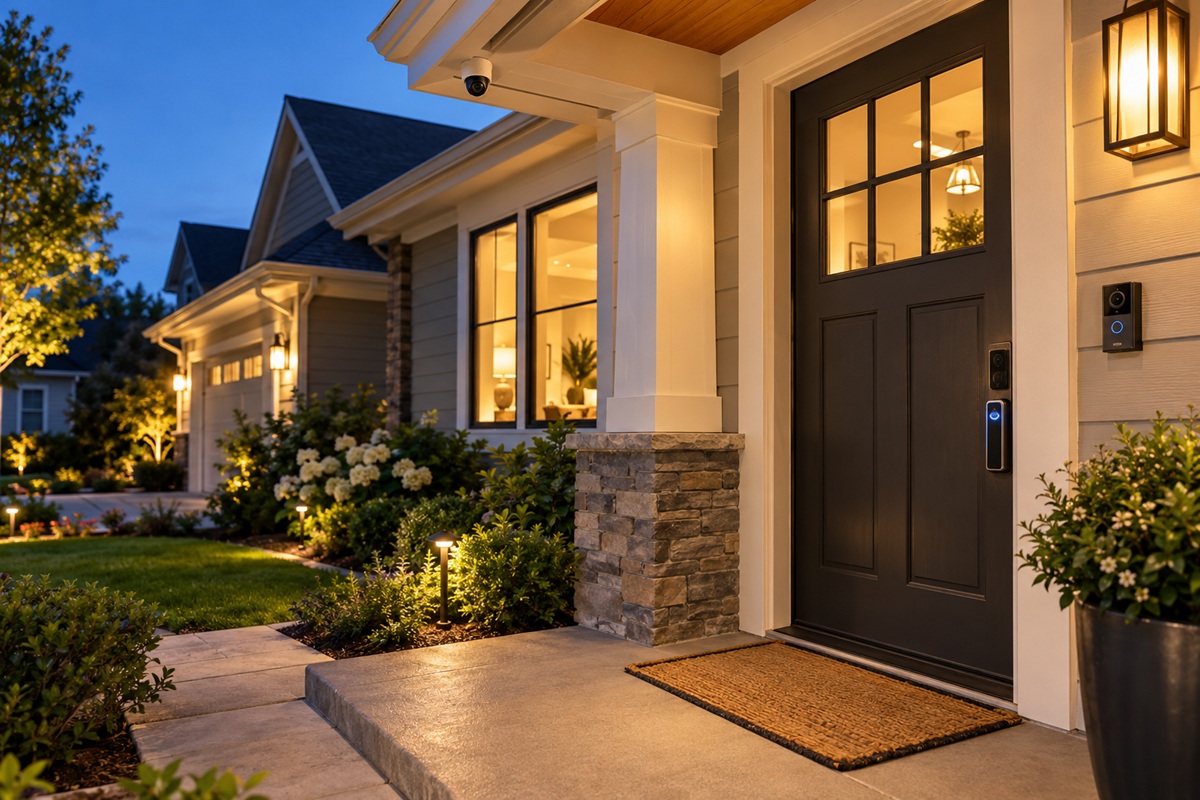
Leaving your home, whether it’s for a long workday or a weekend trip, often brings a wave of anxiety and uncertainty. You may have locked the front door and windows but still spend the next few hours wondering if you left a window unlocked. Is the package on the porch safe? Is everything secure back there? To avoid this guesswork, upgrade to a modern home security system. Whether it’s keeping an eye on a pet or checking in on kids arriving home from school, a smart security system can provide significant peace of mind. Upgrading to a custom home security system in Kansas City that homeowners can rely on ensures your property stays fully protected 24/7.
What a Complete Home Security System Includes
The modern home security system merges physical and digital monitoring to help keep your home safe day and night. Each component serves a specific function and, when combined into a complete system, provides a more comprehensive solution for home protection.
1. Sensors for Doors, Windows, and Environmental Hazards
Door and window sensors alert you when an entry point opens unexpectedly, helping you to respond quickly. When the system is armed, motion detectors can cover interior rooms, including hallways, living rooms, and other accessible areas. These are especially helpful for homeowners who want more than one room secured, not just a single entry alarm. Environmental sensors add another layer of protection. While code-required, hardwired smoke and carbon monoxide detectors must remain installed to meet local building codes, integrating security-connected smoke, CO, and water leak detectors provides real-time mobile alerts and monitoring dispatch during emergency hazards.
2. Security Cameras and Smart Video Doorbells
Home security cameras offer views of hard-to-see areas. Indoor cameras let you monitor pets and activity inside, while outdoor cameras cover driveways, front and backyards, and garages. Motion notifications and recorded video let you review suspicious activity and identify visitors. A video doorbell provides added convenience at the front door. You can see visitors, talk to delivery people, and get alerts when they arrive. Depending on the model and subscription, you can also save footage to view later. These features can help deter theft and monitor deliveries when you’re away.
3. Smart Locks and Alarms
Smart locks allow homeowners to use a keypad, smartphone, or authorized access code to lock or unlock compatible doors. These are great when family members come home at different times or when you need to give a trusted family member temporary access. Some models will also indicate if a door is locked. Audible alarms sound instantly when a qualifying security event is detected. A loud siren can deter trespassers and warn others nearby. Alarms can work with cameras and notifications to provide a coordinated response when integrated with other devices.
4. Centralized Controls and Mobile Access
Compatible devices connect to a central control panel, which you can use to arm or disarm the system. You can extend that control outside the home with a mobile app that lets you monitor system status, view available camera feeds, and receive real-time notifications. Some systems also offer smart home security options, like leaving lights on or turning them off automatically when you leave.
5. Professional Alarm Monitoring
Professional alarm monitoring connects your security system to trained operators who verify incoming emergency alerts and immediately notify local emergency services. While basic self-monitoring relies entirely on you to notice push notifications and contact authorities yourself, professional monitoring ensures dedicated, round-the-clock emergency dispatch whether you are available, asleep, or away.
Kansas City Alarm Permit Requirement: In Kansas City, Missouri, local law requires all monitored security alarms to have an active alarm permit administered through CryWolf Services (KCPD). Police will deny a response to an alarm activation until an alarm permit is obtained ($52 for new permits, $20 for annual renewal). Surrounding municipalities in the metro area also maintain their own permit rules to avoid false alarm fees.
DIY vs. Professional Security Installation
The decision between professional and DIY installation depends on cost, convenience, system complexity, and peace of mind. Both methods can offer effective protection, but the best option for your property depends on your layout and security needs.
Coverage and System Design
Professional installers assess entry points, room layouts, camera placement, and blind spots before recommending equipment. Their experience helps ensure sensors are placed at key points, and cameras have the right angle without obstructions. Professional planning can make installation easier and more comprehensive for larger properties or integrated systems.
People sometimes choose self-installed DIY systems for smaller spaces or basic setups, but proper placement and coverage remain common challenges. Without professional planning, DIY setups are more vulnerable to poor device placement, weak Wi-Fi coverage, and unmonitored entry points. Understanding these trade-offs is essential—for a detailed look at why expert setup delivers greater coverage and reliability, see our guide on why you should hire a professional to install a security system.
Reliability and Response
When a system includes hardwired devices, multiple cameras, or interconnected devices, professional installation can help. Technicians can test components, explain how the system works, and help troubleshoot setup issues. Depending on the service agreement, some providers may also provide continuous technical support.
Do-it-yourself equipment lets homeowners handle installation and maintenance. However, they may need to troubleshoot connectivity issues, change batteries, install software, or make other device adjustments themselves. Equipment quality, Internet connection, power backup, and maintenance schedules also affect reliability.
Integration, Support, and Cost Trade-Offs
While DIY equipment often has a lower upfront cost, it leaves the property owner with the ongoing burden of setup, troubleshooting, and maintenance. Professional installation requires an upfront service investment, but it ensures the equipment is fully integrated, backed by ongoing technical support, and calibrated correctly from day one. Comparing total equipment costs, installation fees, and monitoring agreements helps you choose the best fit for your budget and security expectations.
When looking for a home security system installer, evaluate their experience, equipment quality, service area, and technical support. A professional evaluation ensures every entry point is protected and integrated without the hassle of trial and error, giving property owners complete peace of mind.
Smart Features Worth Having
A home security system in Kansas City is an excellent investment for any homeowner seeking long-term peace of mind. Installing a smart security system lets you control and monitor your home’s security in real time, with convenience and confidence. Today, homeowners can use advanced systems to monitor their home remotely, control access, and automate vital security tasks. When you’re considering home security installation in Kansas City, choose the right smart features to enhance safety and make it easier to manage. Here are some key features to look for:
- Remote Viewing: View live and recorded camera feeds from anywhere with your smartphone or tablet. Check your property anytime, whether at work or on the road.
- Instant Alerts: Get alerts on your smartphone or via text when cameras or sensors detect abnormal activity, so you can act immediately to address potential security threats.
- Access Control: Digital keys, PIN codes, or compatible fingerprint access for family, guests, and service providers. Some systems also keep track of entry activity for added convenience.
- Voice Control: Manage your security system effortlessly using dedicated custom smart home platforms like Control4, Crestron, or Josh.ai, as well as mainstream voice assistants like Amazon Alexa and Google Assistant.
Integrating Security With Lighting, Locks, and Home Automation in Kansas City
Smart security works best when integrated with other smart home devices. For instance, if a door sensor detects unanticipated activity at night, smart lights can automatically turn on to deter intruders and enhance camera visibility. If you activate your system, you can also use compatible smart locks to secure entry points.
Home automation in Kansas City lets homeowners set routines for lighting, door locks, cameras, and more. The integrations will enhance your security setup and make everyday life more convenient.
Cost Factors and Choosing a Kansas City Installer
Every home in the Kansas City metro area requires a unique security design based on property layout, equipment selection, and integration needs.
- Equipment & System Design: We tailor comprehensive security solutions to your property’s footprint, incorporating specialized cameras, smart access control, motion sensors, and integrated automation interfaces.
- Professional Installation: Expert integration ensures seamless wiring, optimal camera angles, complete sensor coverage, and unified smart home connectivity tailored to your home’s architecture.
- System Oversight & Support: Monitoring and maintenance plans provide continuous protection, emergency response dispatch, and ongoing technical support.
Schedule a Consultation: Because custom security and smart home systems vary based on property scope, the best way to get an accurate estimate is through a personalized home evaluation.
What to Ask an Installer
- Do you require long-term contracts, or do you offer flexible service options?
- Are your installation technicians fully licensed, insured, and background-checked?
- Does your system integrate seamlessly with smart home platforms like Control4, Crestron, Google Home, or Alexa?
- How does your security system maintain protection and connectivity during power or internet outages?
- Will equipment, installation, and ongoing monitoring services be fully itemized in my quote?
Warranty and Support
- Hardware Warranty: Review hardware warranties and, if available, consider products with a 2- to 3-year warranty.
- Service Guarantees: Inquire about service guarantees, such as price increases, equipment replacement, and service commitments.
- Local Support: Choose a company with a strong reputation for customer service in the Kansas City metro area for troubleshooting and maintenance.
Frequently Asked Questions
- What is the best home security system for a house?
The best system depends on your home’s layout, budget, and security needs. Evaluate the advantages and disadvantages of DIY and professionally installed systems, including cameras, motion detectors, smart locks, and monitoring features.
- How much does a home security system cost in Kansas City?
The initial cost of basic equipment is around $200 to $600 or more. The overall cost may increase due to installation, advanced features, and monthly monitoring.
- Is professional installation worth it?
Yes, professional installation can ensure your equipment is installed in the right location and properly integrated into your system and that you receive instructions on how to use it. It is especially helpful for complicated installations.
- Do security cameras deter burglars?
Visible, well-placed cameras can deter opportunistic break-ins, as strategic placement often matters more than the sheer number of cameras. For comprehensive protection, cameras work best alongside smart lighting, secure locks, and integrated entry sensors.
- Can I control my security system from my phone?
Yes, many modern systems offer smartphone apps that let you view camera feeds, get alerts, check system status, and control compatible smart devices.
- What is the difference between monitored and unmonitored systems?
Monitored systems link to a professional monitoring center, which can alert emergency services according to its procedures. Unmonitored systems typically use alarms and smartphone notifications, so the homeowner must take action.
Planning a Security System in Kansas City? Start with a Free Consultation
At Kinkade Home, we know every property is unique and needs a tailored protection approach. We combine home security, smart technology, and custom automation to deliver seamless, professional solutions designed around your lifestyle.
During your consultation, we evaluate your goals, discuss your preferences, and establish a clear project scope backed by transparent pricing. Whether you want to install high-definition security cameras or create a fully connected smart home, our team guides you through every step. Contact us or request a consultation today to begin planning your home security installation in Kansas City.